INNERMEDIA
Contact Support
Support Base
Forms & Submissions
How to troubleshoot enquiry forms not submitting
Step 0 of 5 completed
1
Check whether the form is actually failing
- Log in to your WordPress dashboard.
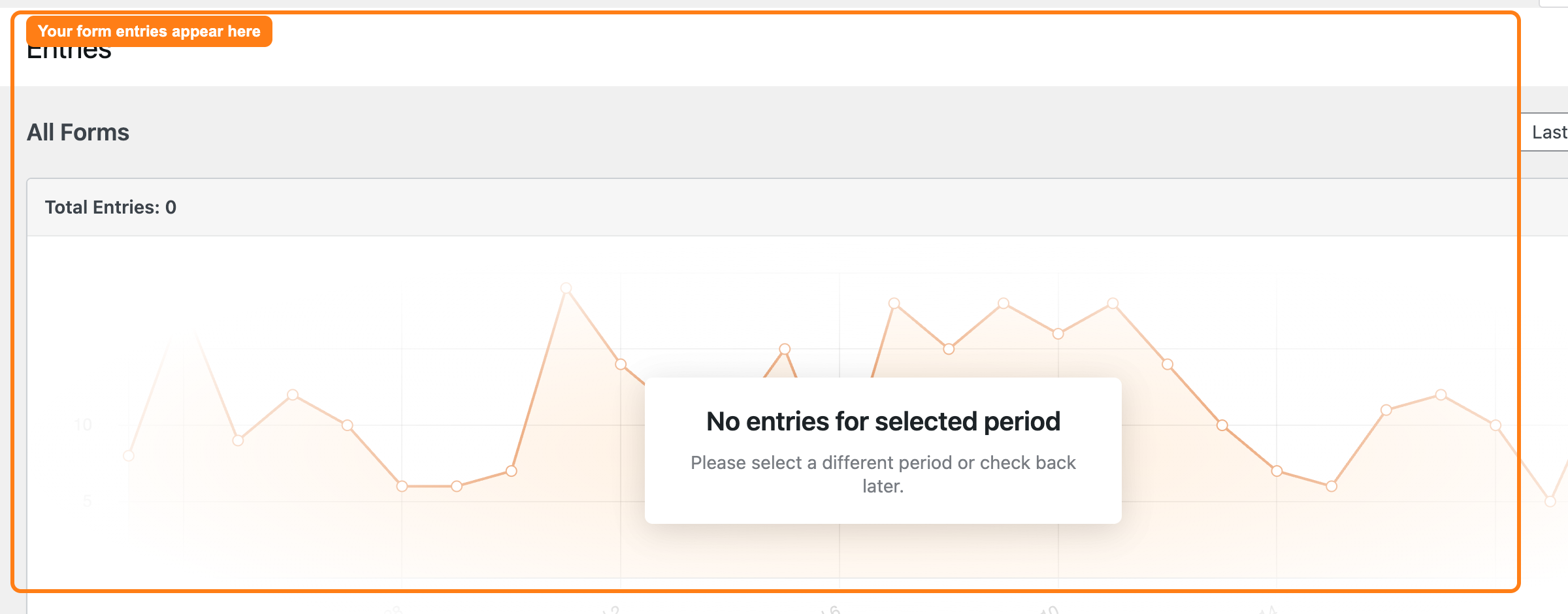
- In the left-hand menu, click WPForms, then Entries.
- Select your enquiry form to see its list of entries.
- Send yourself a test submission from the live page, then refresh Entries. If your test appears here, the form is working and submissions are being saved — the issue is with the notification email, not the form (see step 4).
2
Test the form as a visitor
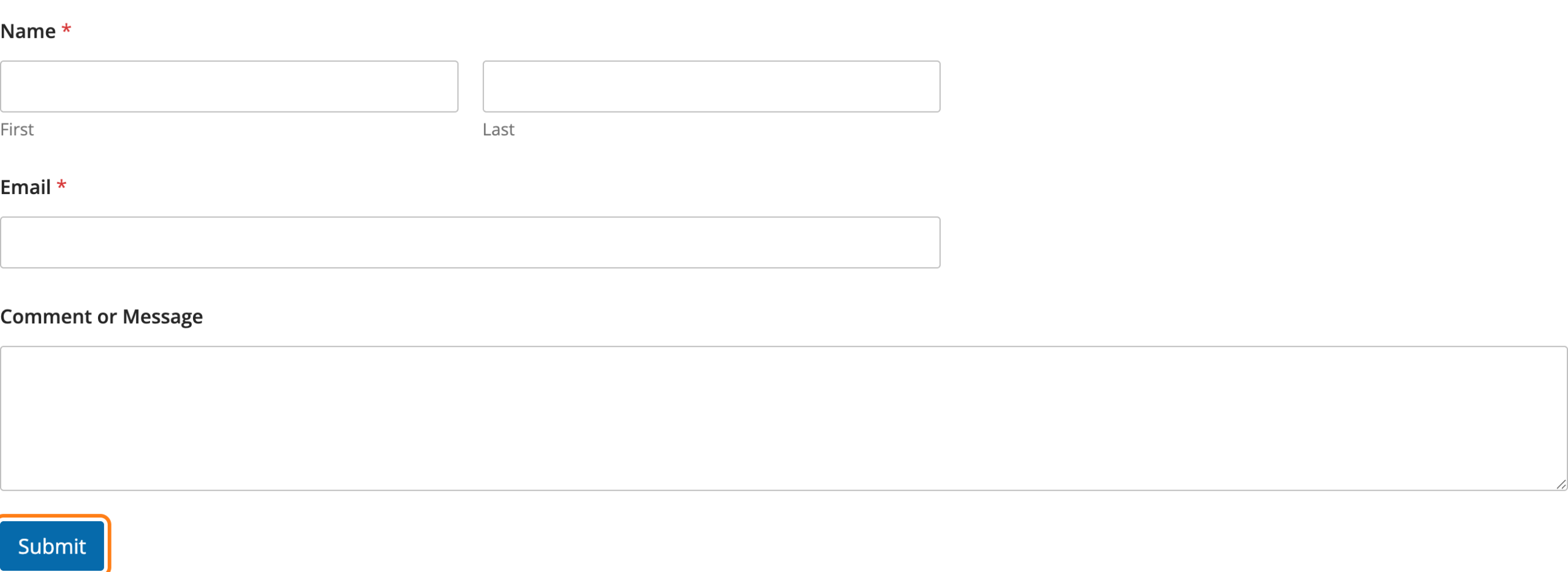
- Open the page in an incognito/private browser window so you see it exactly as a visitor would.
- Complete every field, paying attention to any marked as required.
- Submit the form and watch for an on-screen message — a red note under a field usually means a required field was missed, or an entry was in the wrong format (for example an invalid email address).
3
Check the spam protection settings
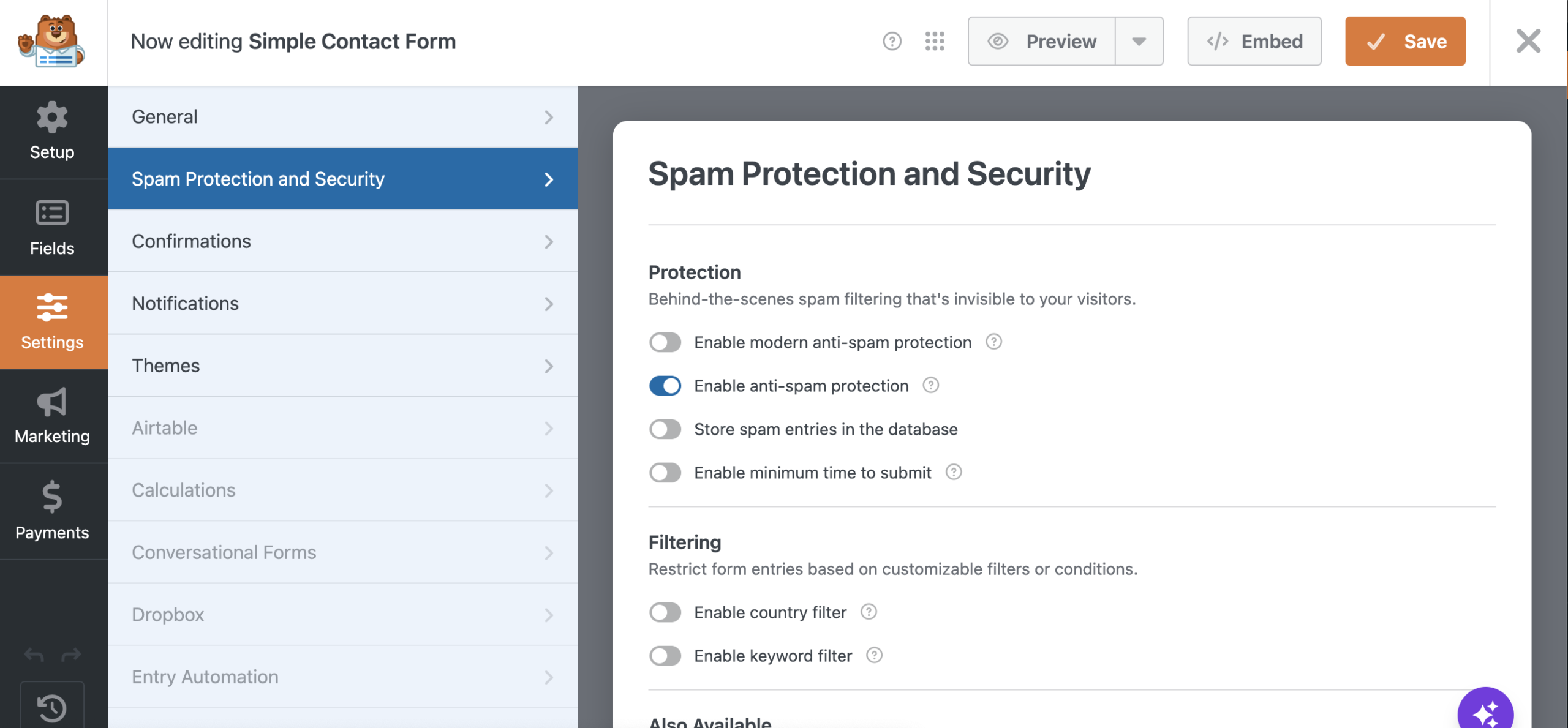
- Genuine submissions are occasionally blocked by spam protection. In WPForms → All Forms, hover over your form and click Edit.
- Go to Settings → Spam Protection and Security.
- Confirm the settings look correct. If a CAPTCHA is enabled, make sure it is loading on the page and being completed before submit.
Not sure about these settings, or still having issues? Contact support at this step rather than changing them yourself.
4
Check the notification email
- If entries are being saved (step 1) but you’re not receiving emails, the problem is email delivery, not the form.
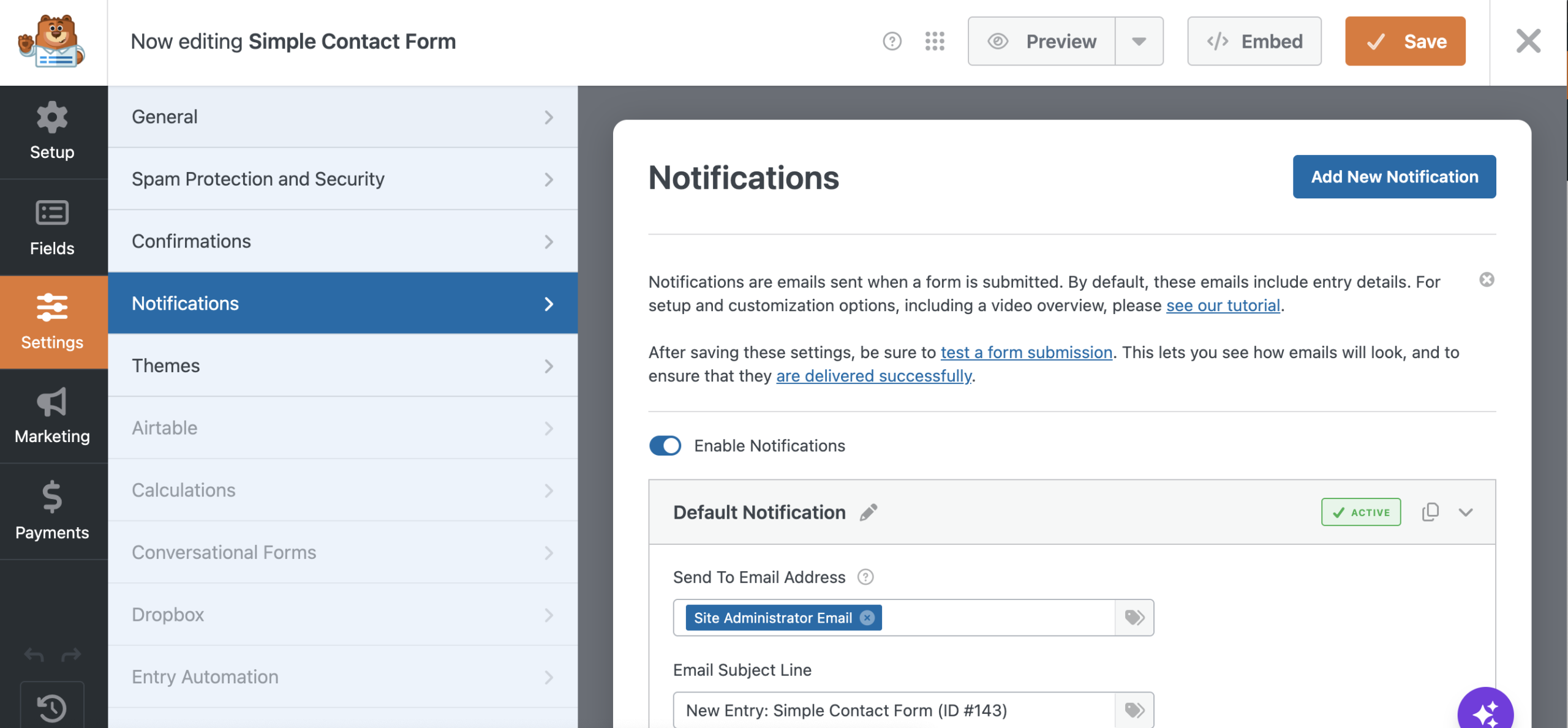
- In the form editor, go to Settings → Notifications and check the Send To Email Address is correct.
- Check your spam/junk folder for the missing notifications.
If entries are saving but notification emails still aren’t arriving, this is usually an email-delivery issue on the site — contact our support team and we’ll check the mail configuration.
Not sure what to check, or the emails still are not arriving? Contact support at this step.
5
Still not working? Contact support
- If the form still won’t submit, or email notifications aren’t being delivered, send us the name of the page the form is on and a description of what happens when you try — any error message shown, whether the page just reloads, or whether entries are saving but the emails aren’t arriving.
- A screenshot of the error helps us diagnose it quickly.
Email these details to support@innermedia.co.uk and we’ll take a look.
Completed
If you are still experiencing issues, our support team is here to help.
Was this article helpful?