INNERMEDIA
Contact Support
Support Base
Blog, News & Events
Creating a Blog Post
Step 0 of 4 completed
1
Create a New Post
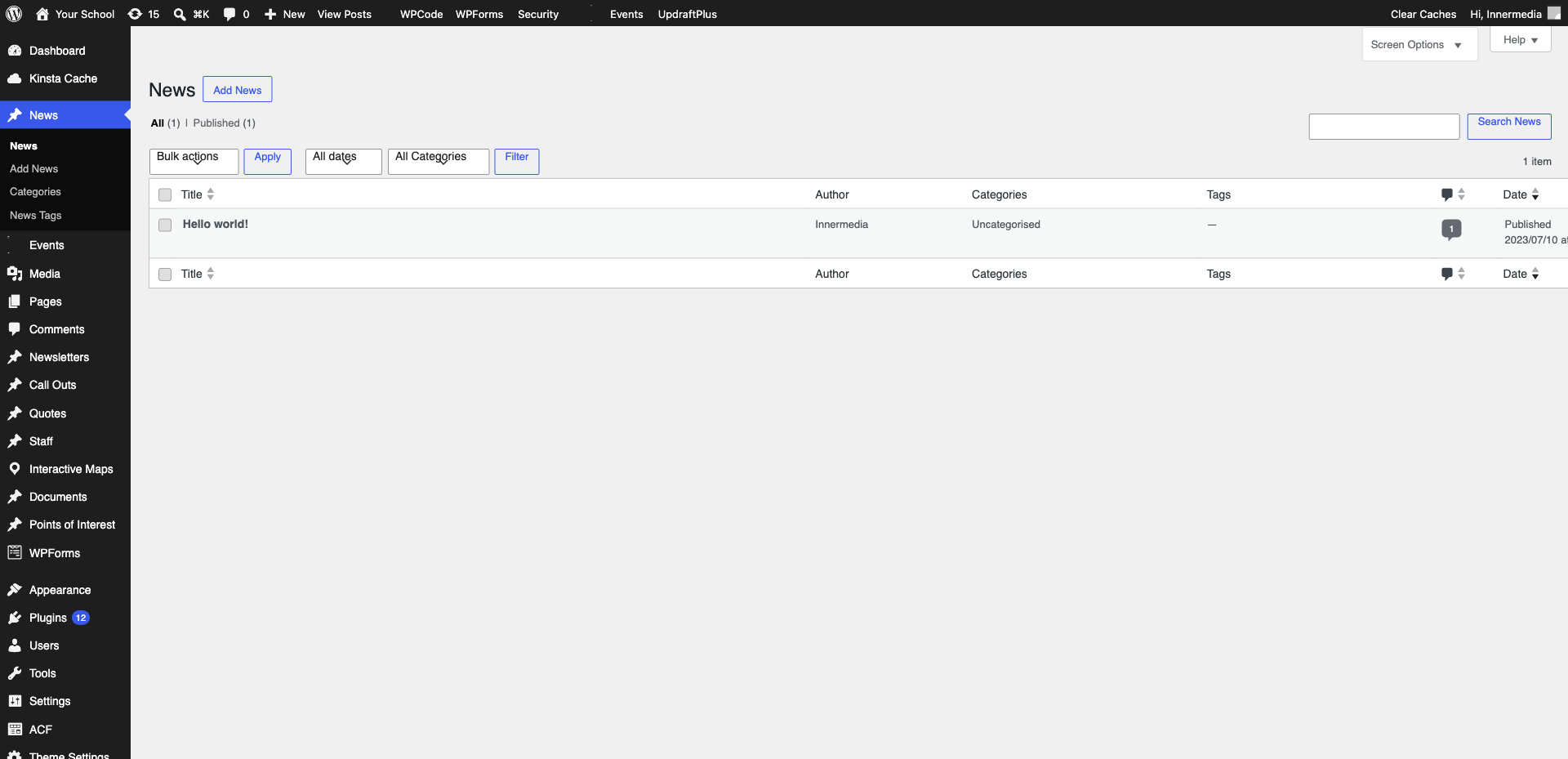
Go to Posts → Add New in the WordPress sidebar. Type your post title at the top — make it clear and engaging.
2
Write Your Content
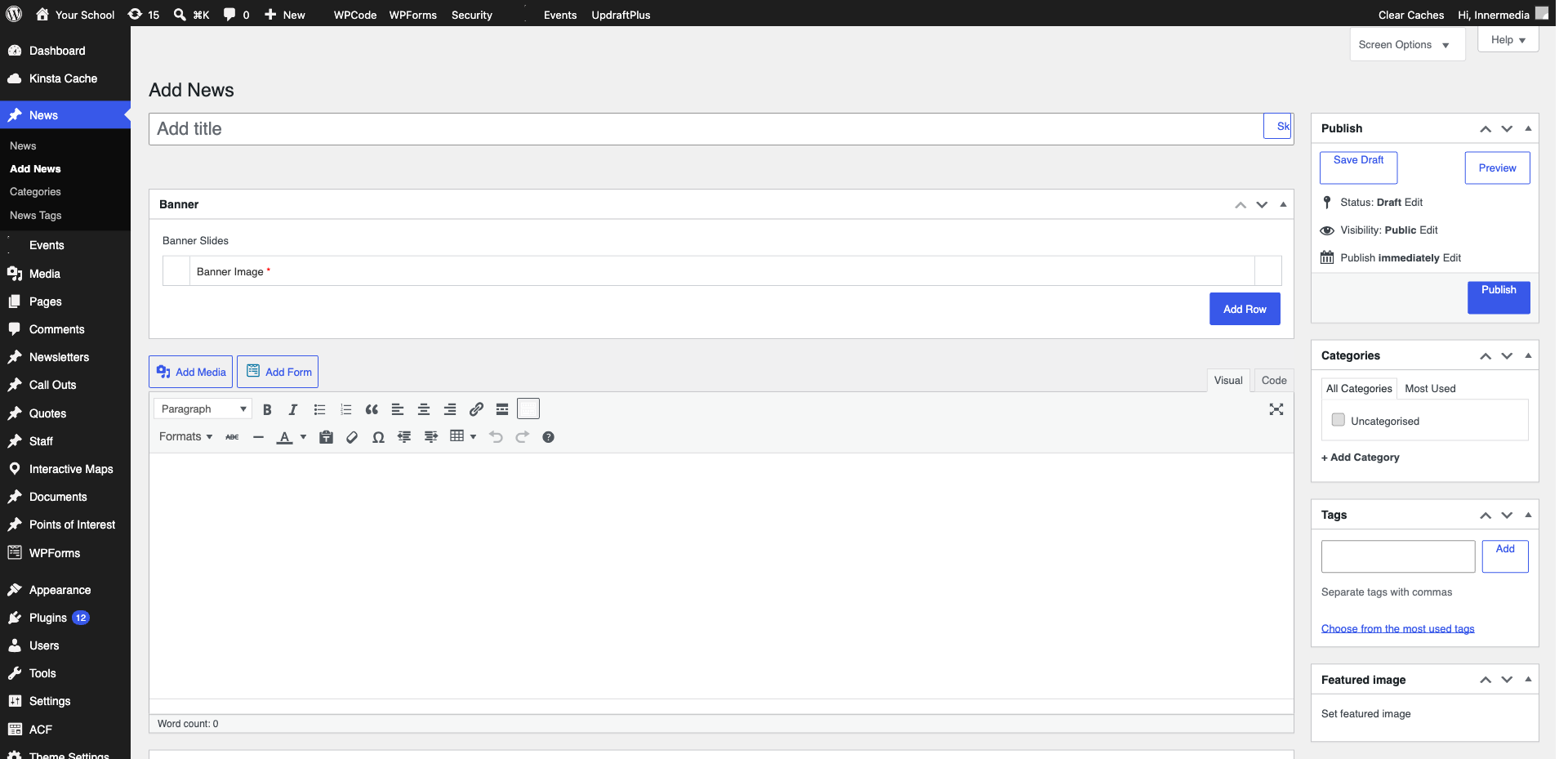
Use the block editor to write your post. Add paragraphs, headings, images, and other blocks. Keep paragraphs short (2-3 sentences) for easy reading online.
Pro Tip
Aim for at least 300 words for SEO value. Include a relevant image every 200-300 words to break up text. 3
Set Category and Featured Image
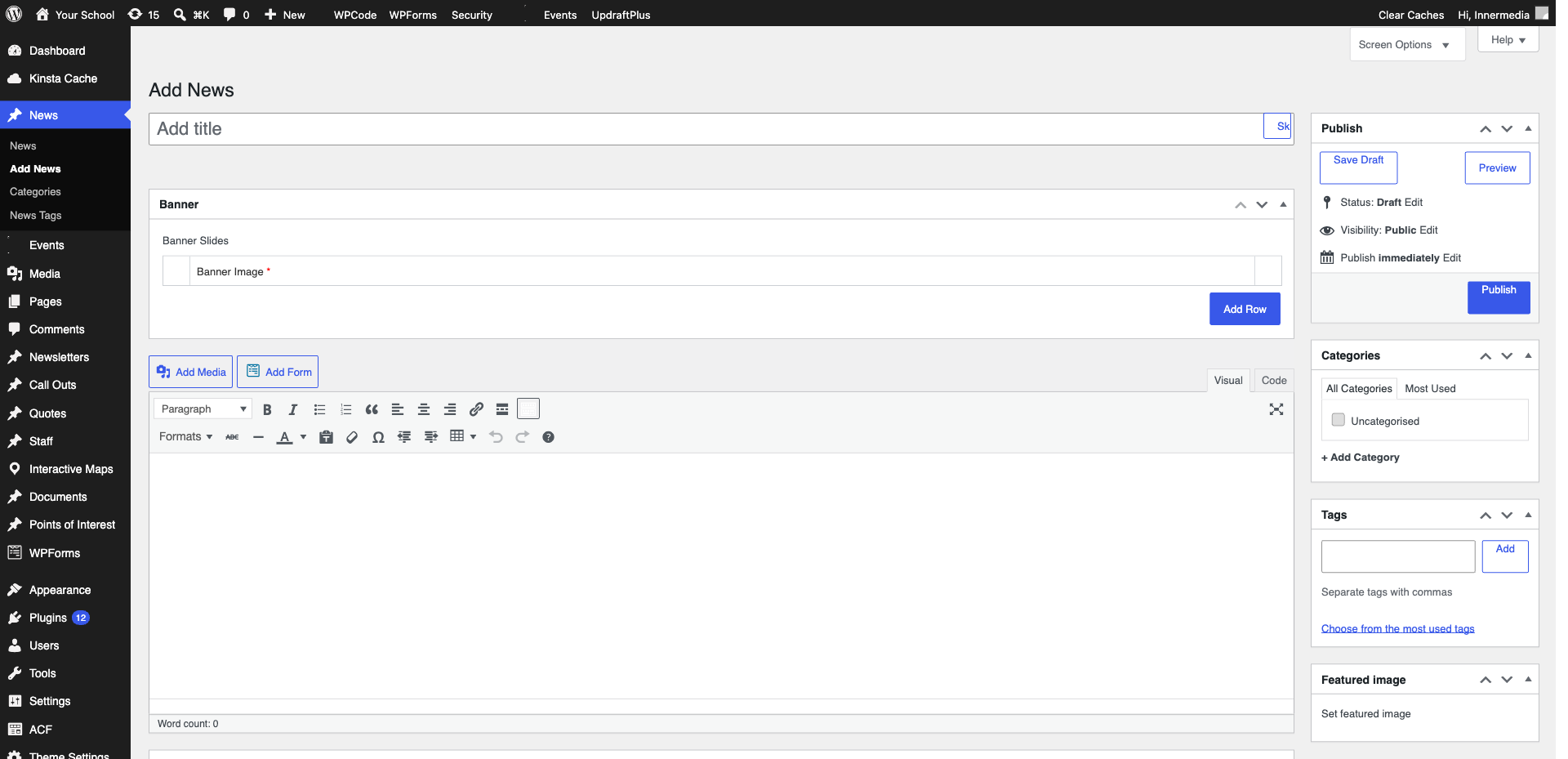
In the right sidebar, select a Category and add a Featured Image (this appears in blog listings and social media shares). Add relevant Tags if your site uses them.
4
Publish
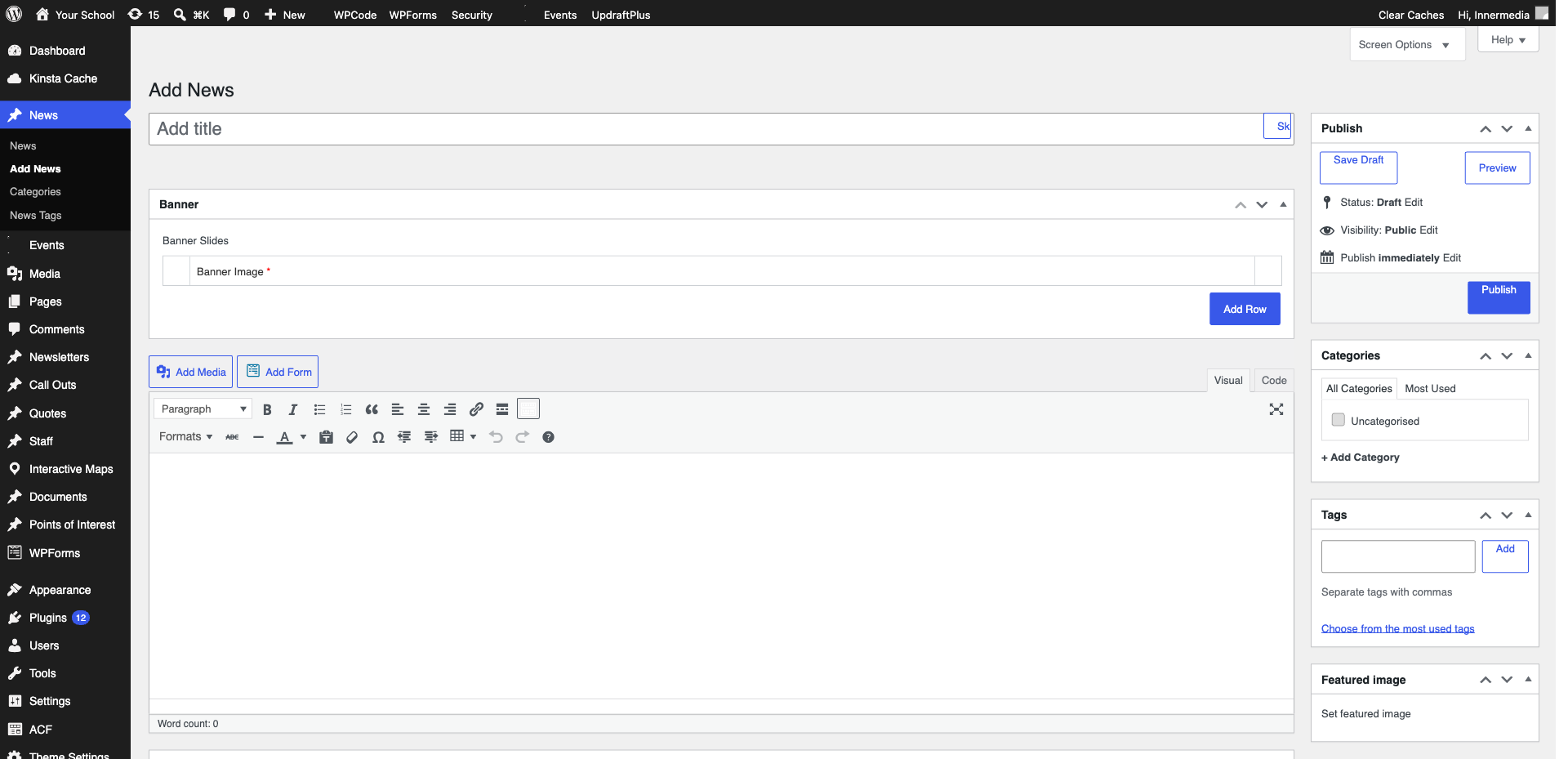
Click ‘Publish’ in the top right. Your post appears on your blog page and in any RSS feeds. Share the URL on social media for maximum reach.
Completed
If you are still experiencing issues, our support team is here to help.
Was this article helpful?