INNERMEDIA
Contact Support
Support Base
Getting Started
Managing User Access & Permissions
Step 0 of 4 completed
1
Navigate to Users
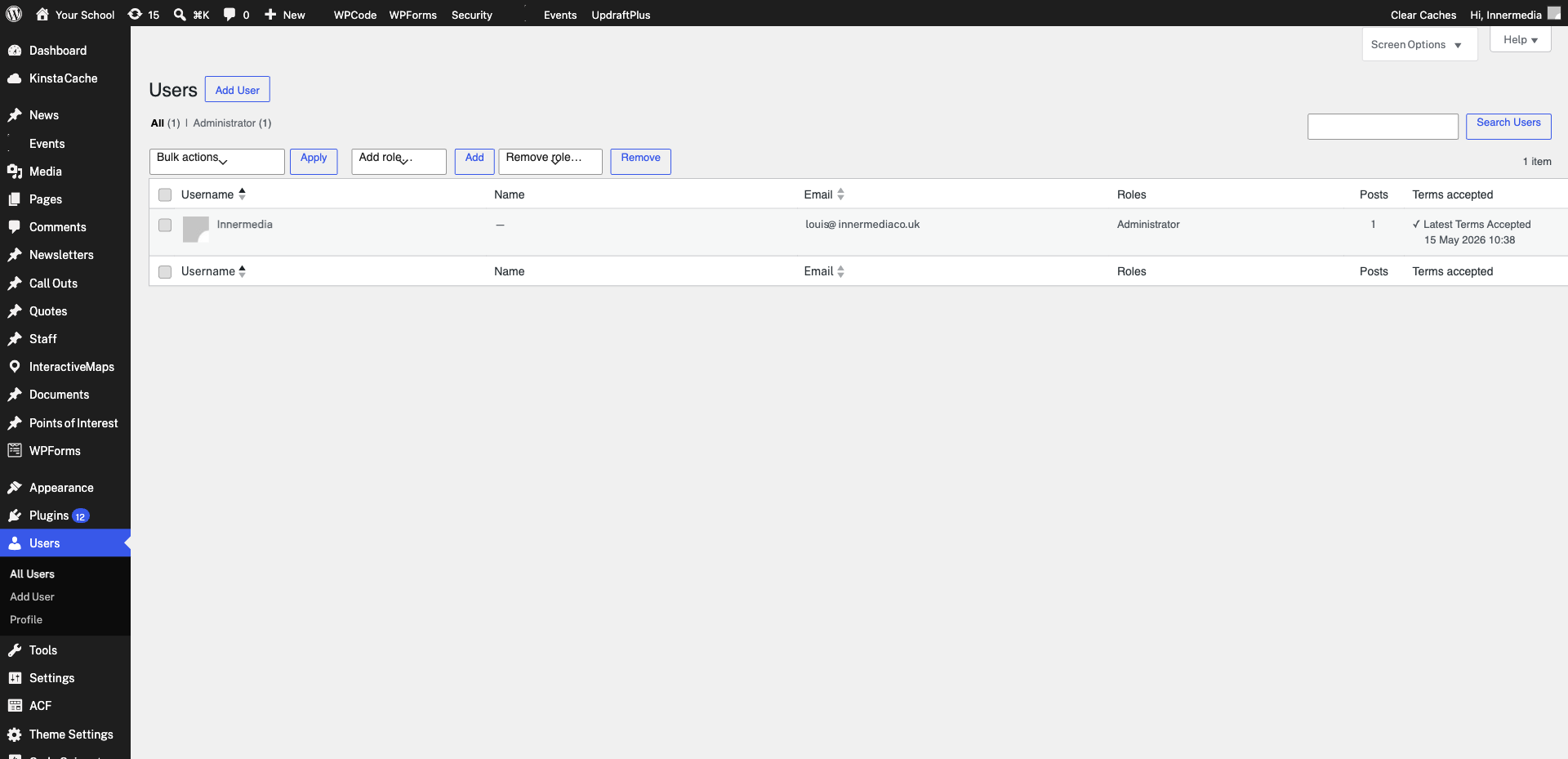
From your WordPress dashboard, go to Users → All Users in the left sidebar. This shows every account that has access to your site, along with their role and email address.
2
Add a New User
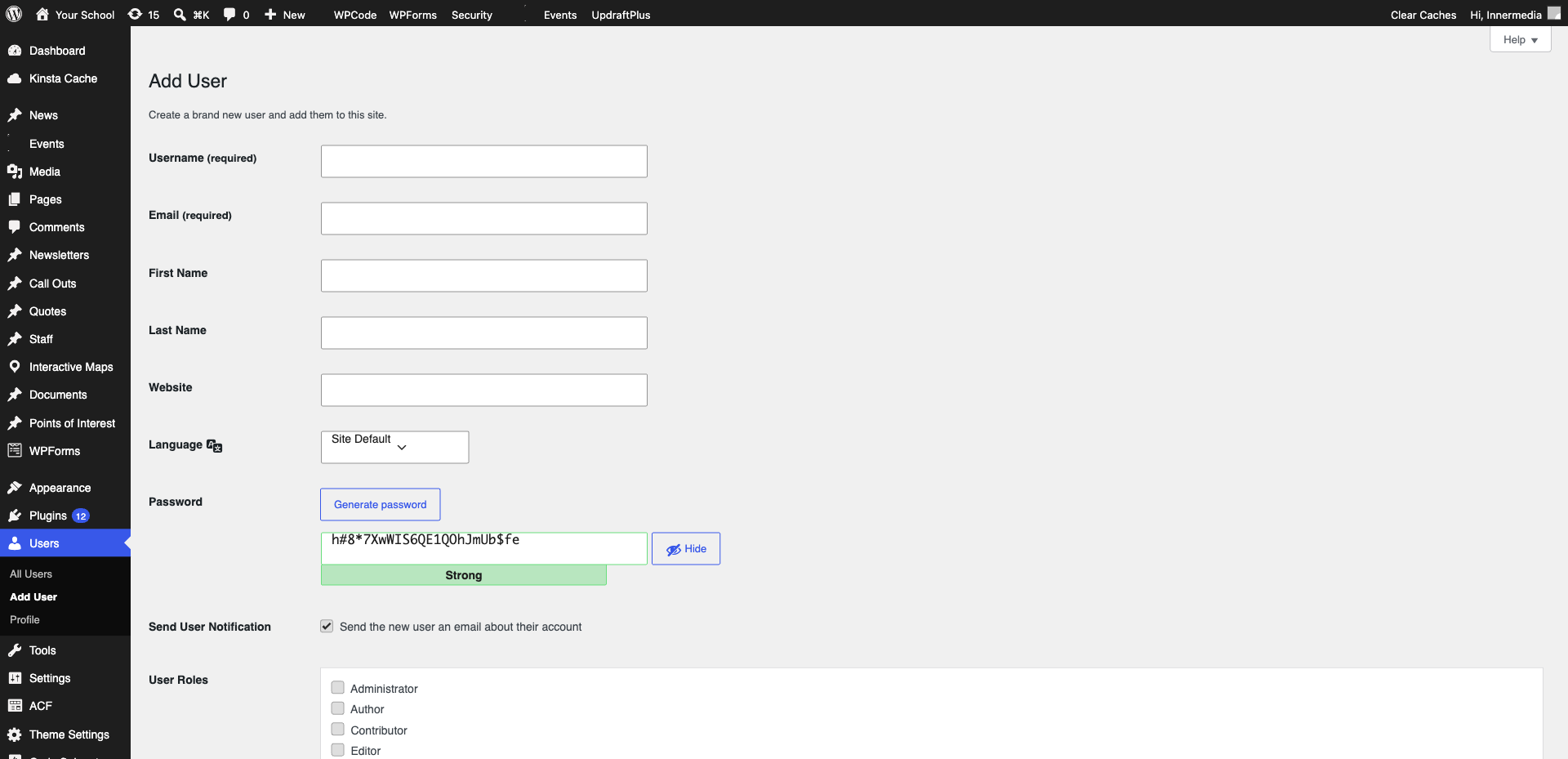
Click ‘Add New User’ at the top of the page. Fill in the username, email address, and select the appropriate role from the dropdown.
Pro Tip
Use their work email address so password resets always go to the right place. 3
Edit an Existing User
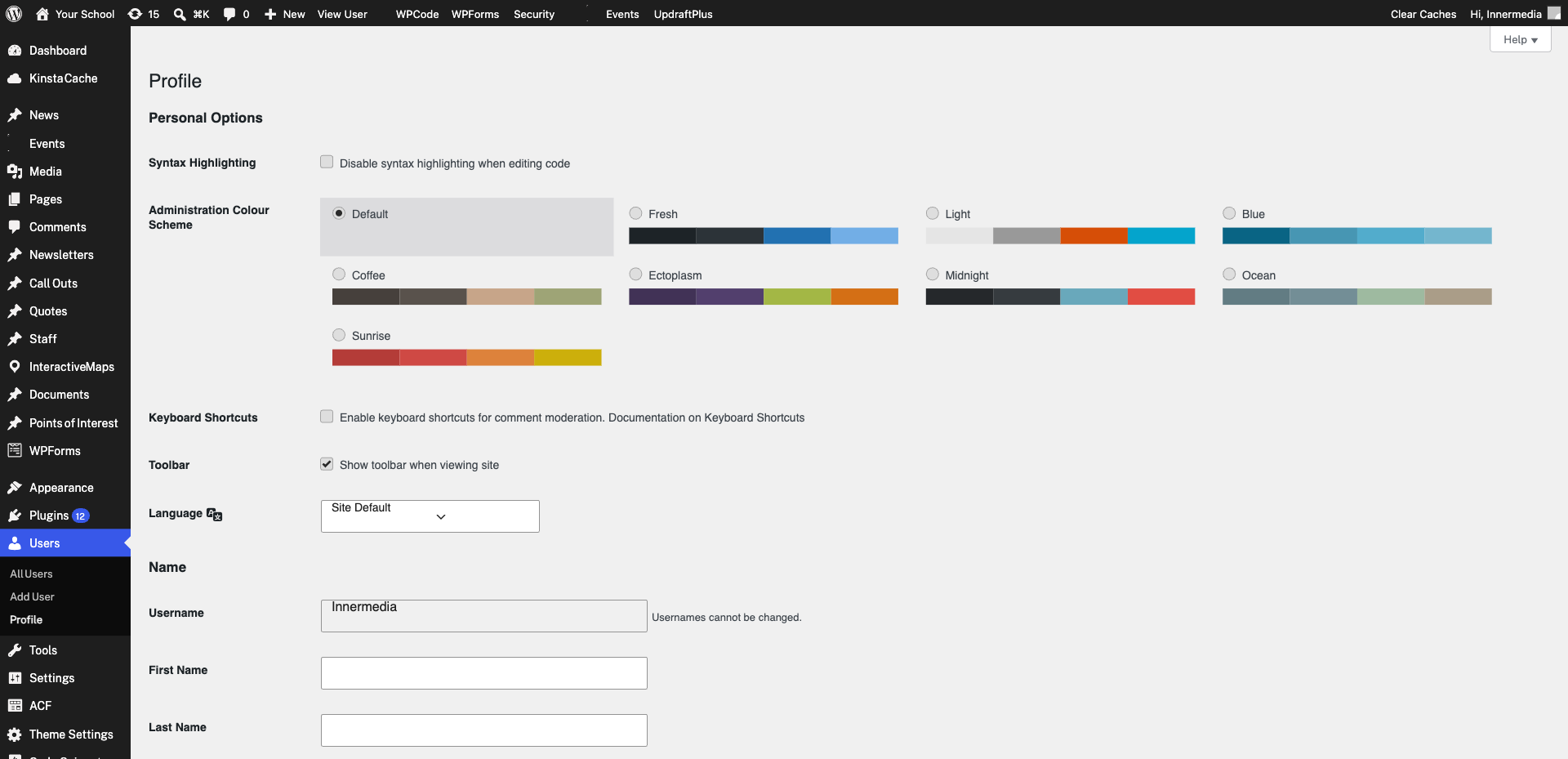
Click on any username to edit their profile. Here you can change their role, update their email address, or reset their password.
4
Remove a User
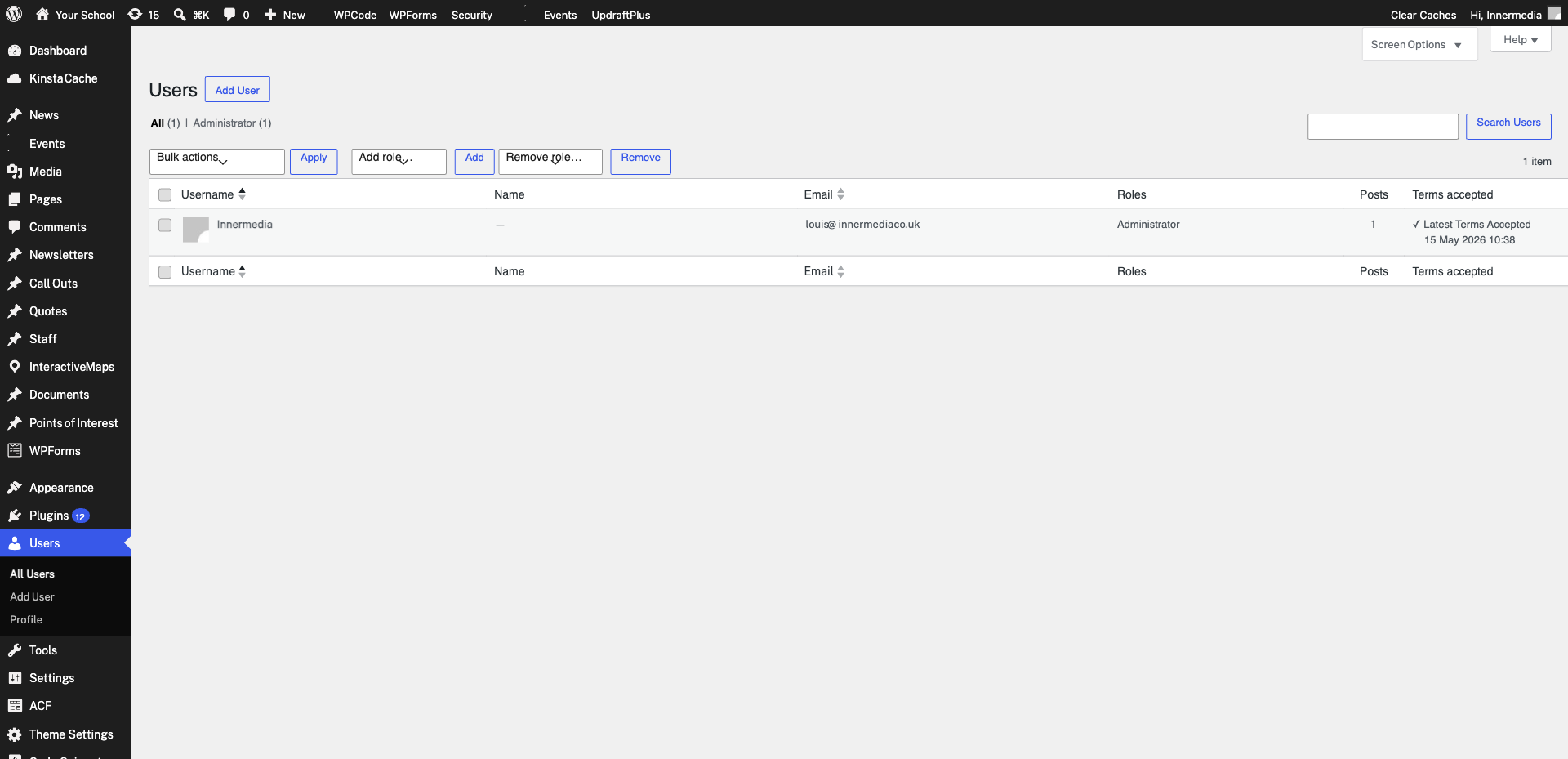
To remove someone’s access, hover over their name in the user list and click ‘Delete’. WordPress will ask what to do with their content — choose ‘Attribute all content to’ and select another user.
Warning
Never choose 'Delete all content' unless you are absolutely sure. Completed
If you are still experiencing issues, our support team is here to help.
Was this article helpful?