INNERMEDIA
Contact Support
Support Base
Pages & Content
How to Edit Your Navigation Menu
Step 0 of 4 completed
1
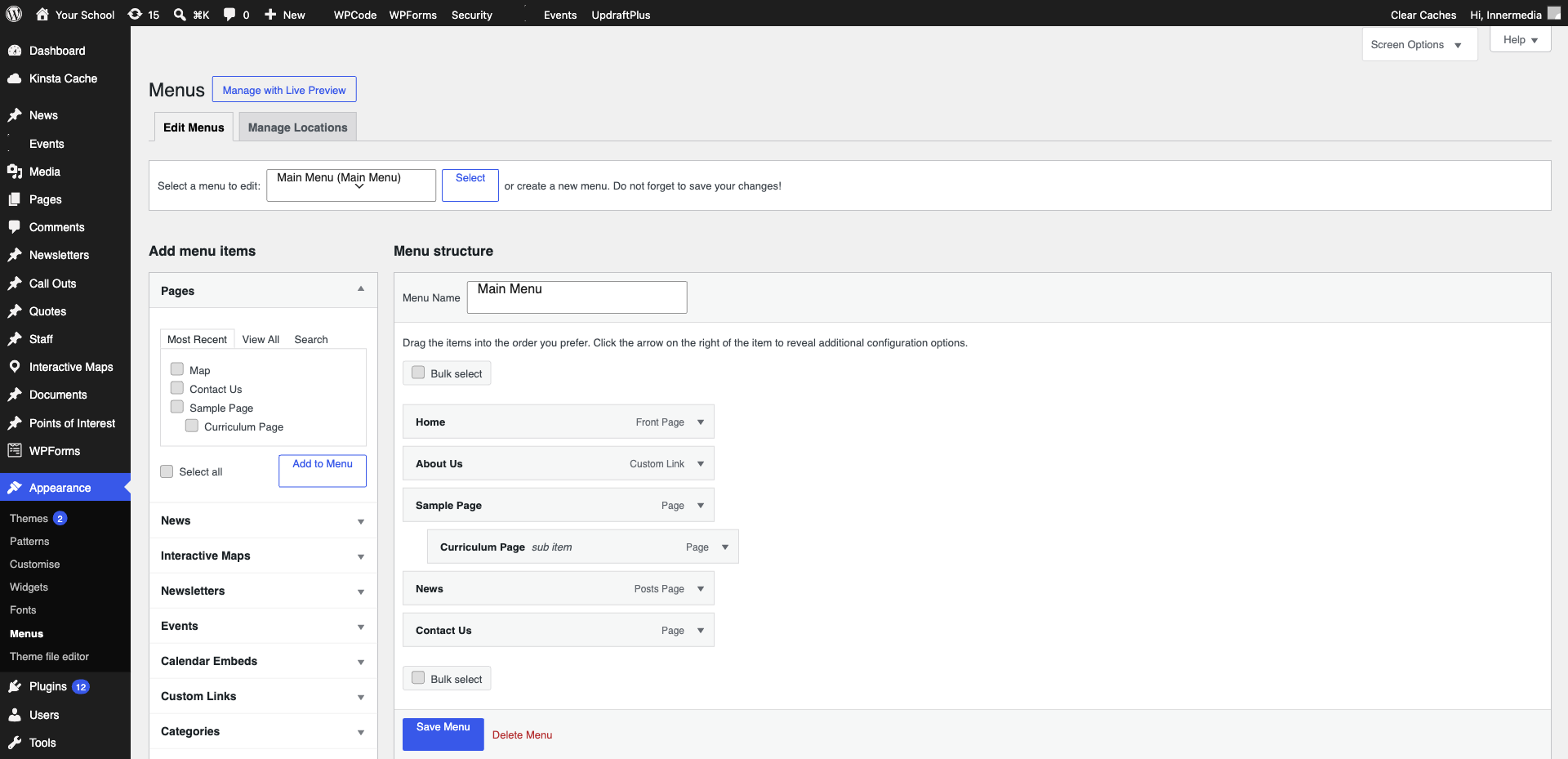
Open the Menu Editor
Go to Appearance → Menus in the WordPress sidebar. Select the menu you want to edit from the dropdown.
2
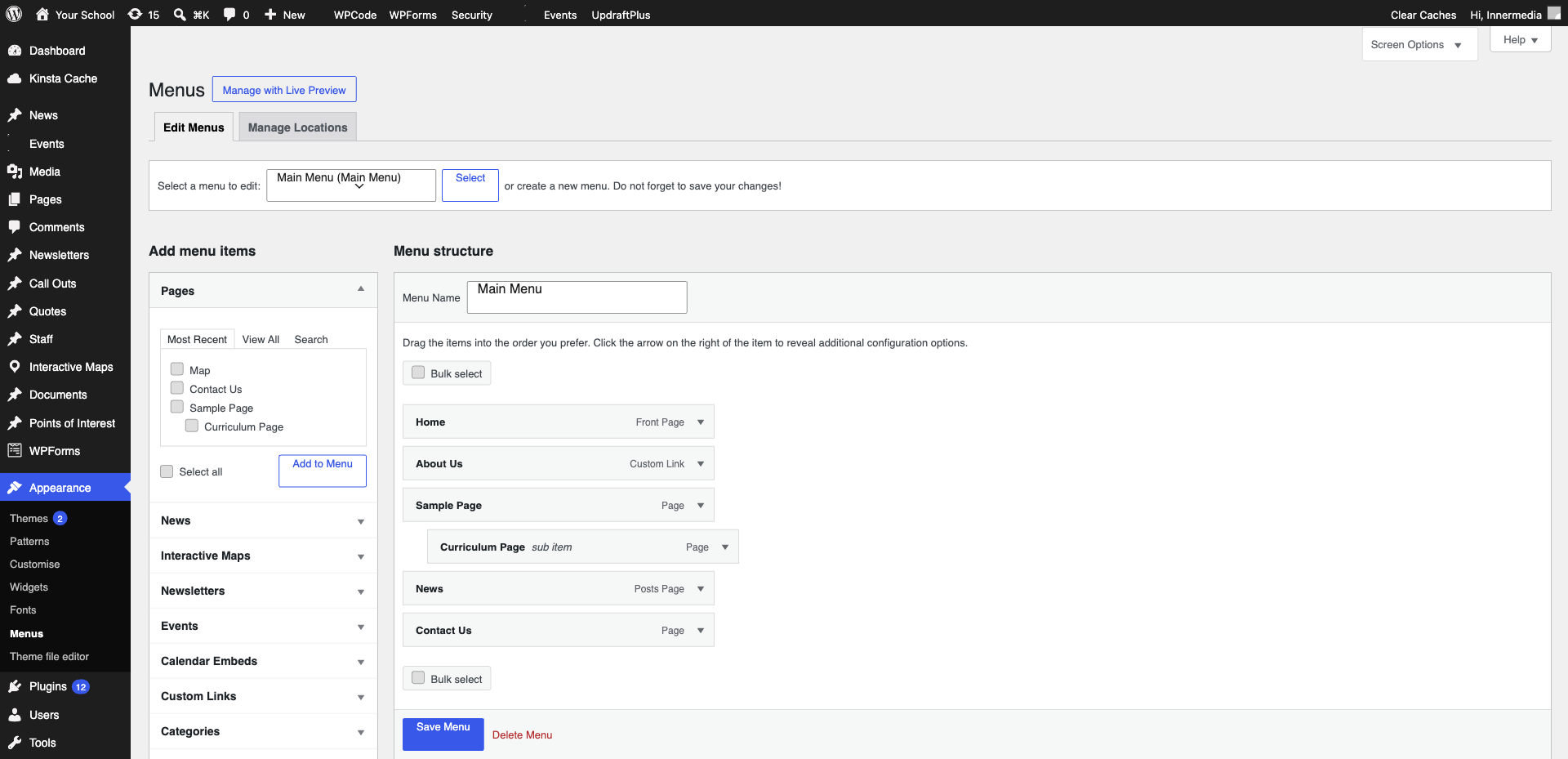
Add a Menu Item
Tick the items you want to add from the left panels and click ‘Add to Menu’.
Pro Tip
Use 'Custom Links' to add external URLs. 3
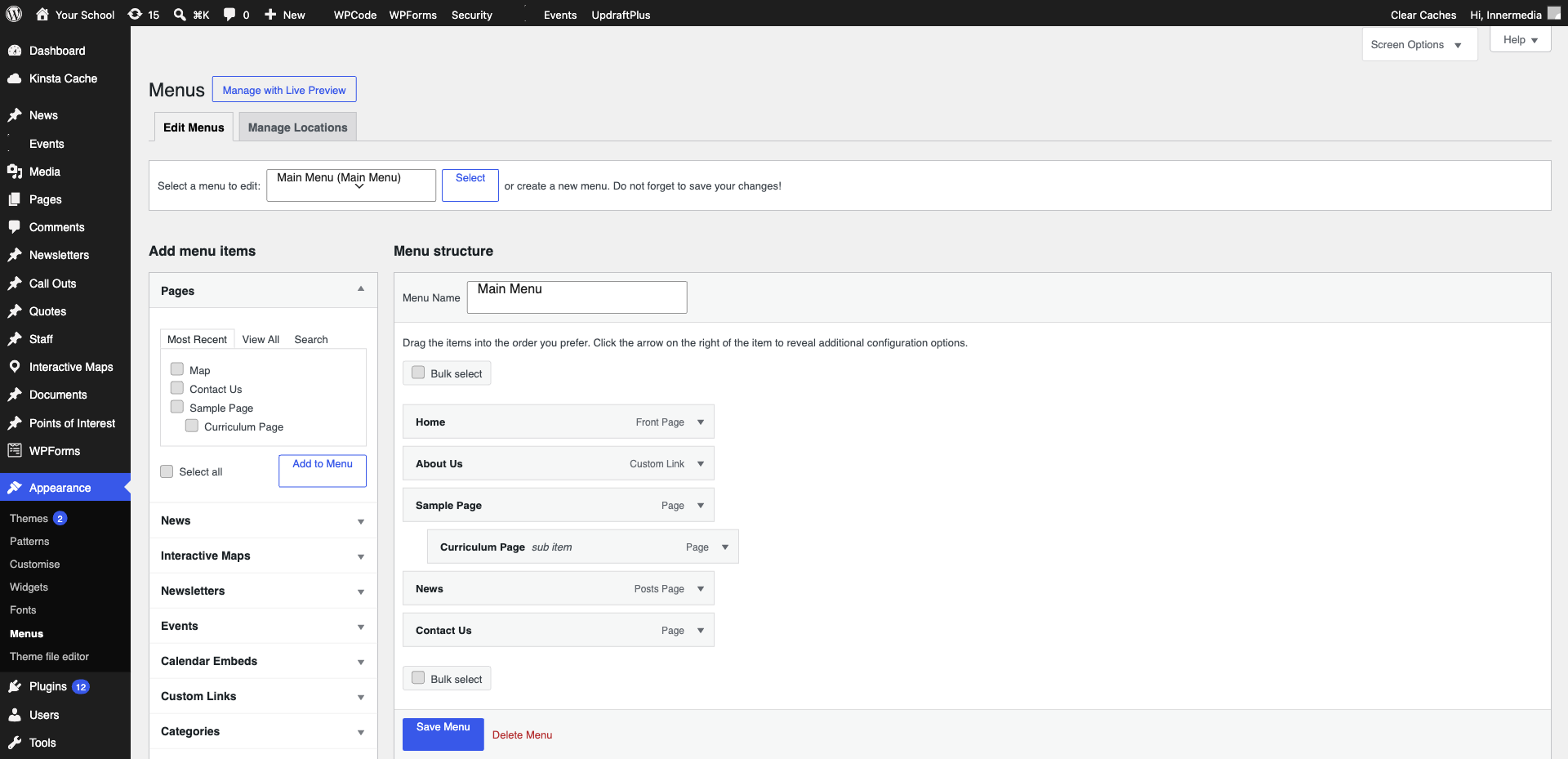
Rearrange Items
Drag and drop menu items to reorder them. To create a dropdown submenu, drag an item slightly to the right underneath a parent item.
4
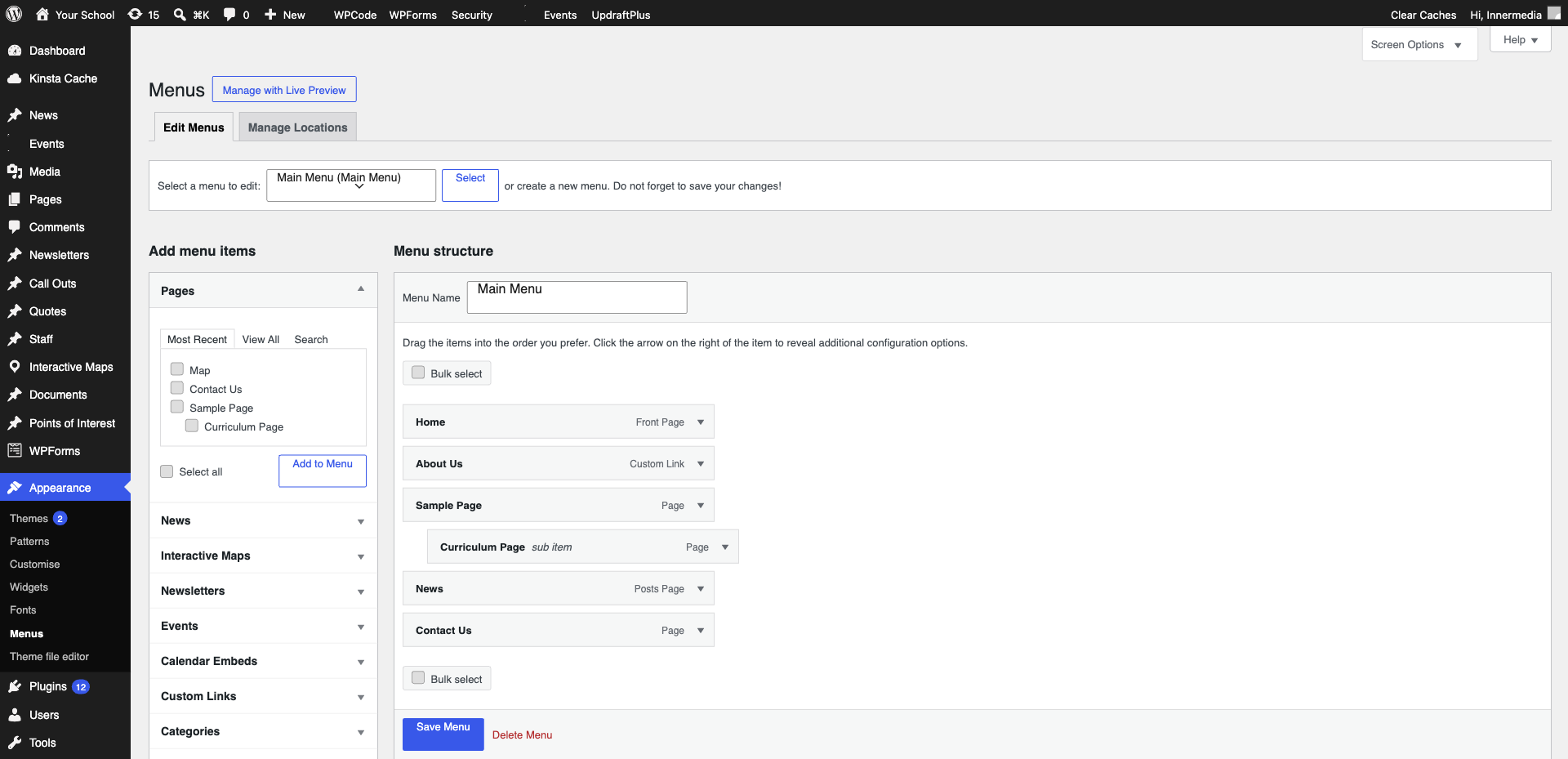
Save the Menu
Click ‘Save Menu’ at the top right. Your navigation changes are now live.
Completed
If you are still experiencing issues, our support team is here to help.
Was this article helpful?