INNERMEDIA
Contact Support
Support Base
Pages & Content
How to disable comments on your website
Step 0 of 3 completed
1
Turn comments off for all new content
- In your WordPress dashboard, go to Settings → Discussion.
- Untick Allow people to submit comments on new posts.
- Click Save Changes.
This stops comments being enabled on anything you create from now on, but it does not change pages and posts that already exist. To switch comments off on content you’ve already published, follow the steps below.

2
Turn comments off on an individual page or post
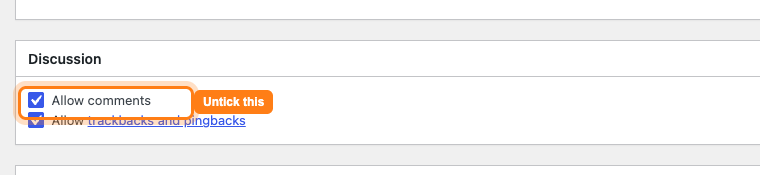
Open the page or post you want to edit. Click Screen Options at the very top-right of the screen and tick Discussion — this reveals the Discussion box, which is hidden by default.
Scroll down to the Discussion box and untick Allow comments, then click Update to save.
3
Turn comments off across many existing pages at once
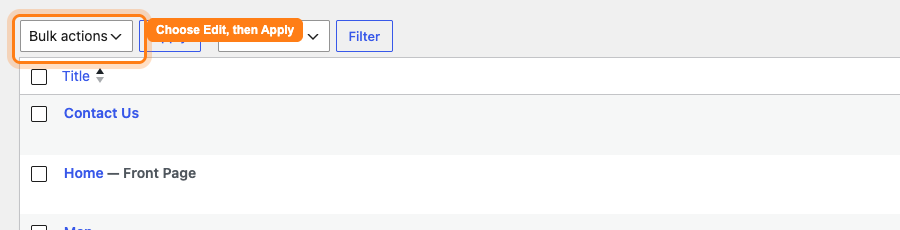
- Go to Pages (or Posts) in the dashboard.
- Tick the items you want to update, or tick the top box to select the whole list.
- In the Bulk actions dropdown choose Edit, then click Apply.
- Set the Comments dropdown to Do not allow and click Update.
Completed
If you are still experiencing issues, our support team is here to help.
Was this article helpful?